Message routing and delivery
Routing you can explain, message by message
Every message through Hub passes the same checks in the same order, and every outcome is recorded with a trace. Deliveries go through one shared queue with one retry policy for every partner.
Every routing decision can be explained, check by check. Synthetic demo data.
- Checks: agreement, module, visibility, hop limit, destination online
The challenge
When messages go missing
In roaming, a lost session update or charge record turns into a support ticket weeks later. Without traces, nobody can say what happened.
Silent failures
A delivery fails and nobody notices until the driver complains.
Unexplained decisions
Why did this app receive that location? Without a trace the question cannot be answered.
Priority suspicion
Partners of a hub owned by a group with its own apps need to know nobody jumps the queue.
How it works
The routing checks, in order
The order is fixed so the outcome is reproducible and auditable.
Step 1: Loop and hop limit
A message never returns to a party already in its path and never travels more than 4 hops between hubs.
Step 2: Active sender and agreement
The sender must be active and an agreement must be in force for the module.
Step 3: Visibility and capability
The receiver must be allowed to see the object and must support the module.
Step 4: Connected, or queued
If the receiver is offline the message waits in the queue and is retried with back-off.
Interactive illustration
A routing decision, explained
Change the conditions and read the decision trace Hub records.
Why did this charge record go where it went?
A CPO sends a charge record for a driver of another app. Change the conditions and read the decision trace Hub records.
- No looppass
- Hop limitpass
- Sender activepass
- Agreement in forcepass
- Visibility allowspass
- Receiver supports the modulepass
- Receiver connectedpass
Routed to the app
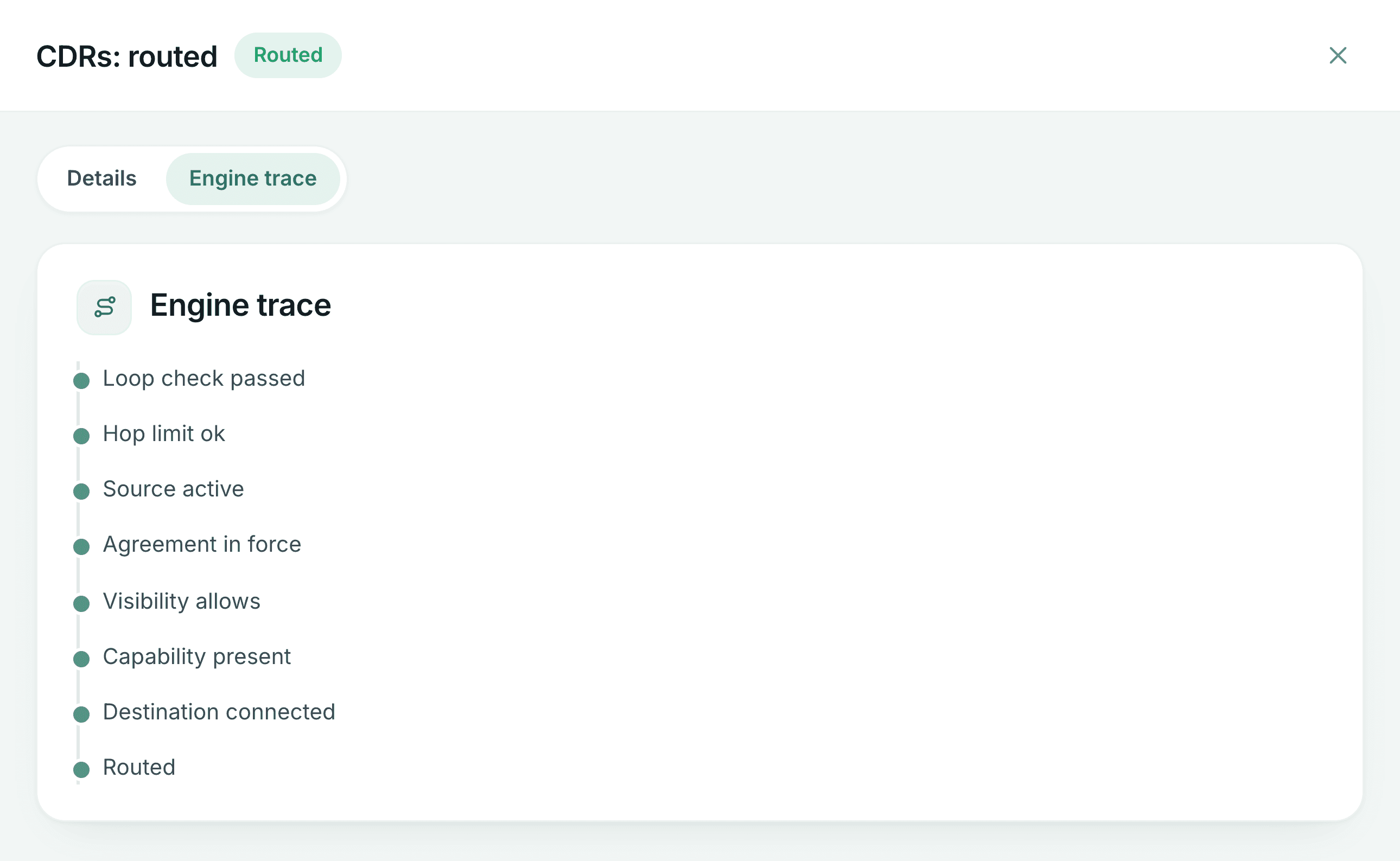
loop check passed hop limit ok source active agreement in force visibility allows capability present destination connected routed
Illustration of the routing engine’s fixed order of checks. Each live decision keeps its trace and correlation id so it can be explained later.
Capabilities
Delivery you can rely on and check
Three OCPI routing modes
Direct routing to a named party, broadcast to every eligible party, and open routing to the token or location owner.
One shared queue
Every delivery recorded per receiver, retried with back-off, marked dead after repeated failures. No priority lane.
Self-service retry
Once you fix the cause, requeue your failed deliveries yourself, narrowed by module or error.
Correlation across hops
A new request id per hop and the same correlation id end to end, so one message can be followed through.
Routing history
Staff can search past routing decisions and open the trace behind any delivery or command.
Send-time re-check
A queued message is checked again when it is sent, so an agreement or visibility change takes effect at once.
In the product
Message routing in Getz Hub
Captured from the running Hub with synthetic demonstration data: names, counts and amounts are not real partners or traffic.
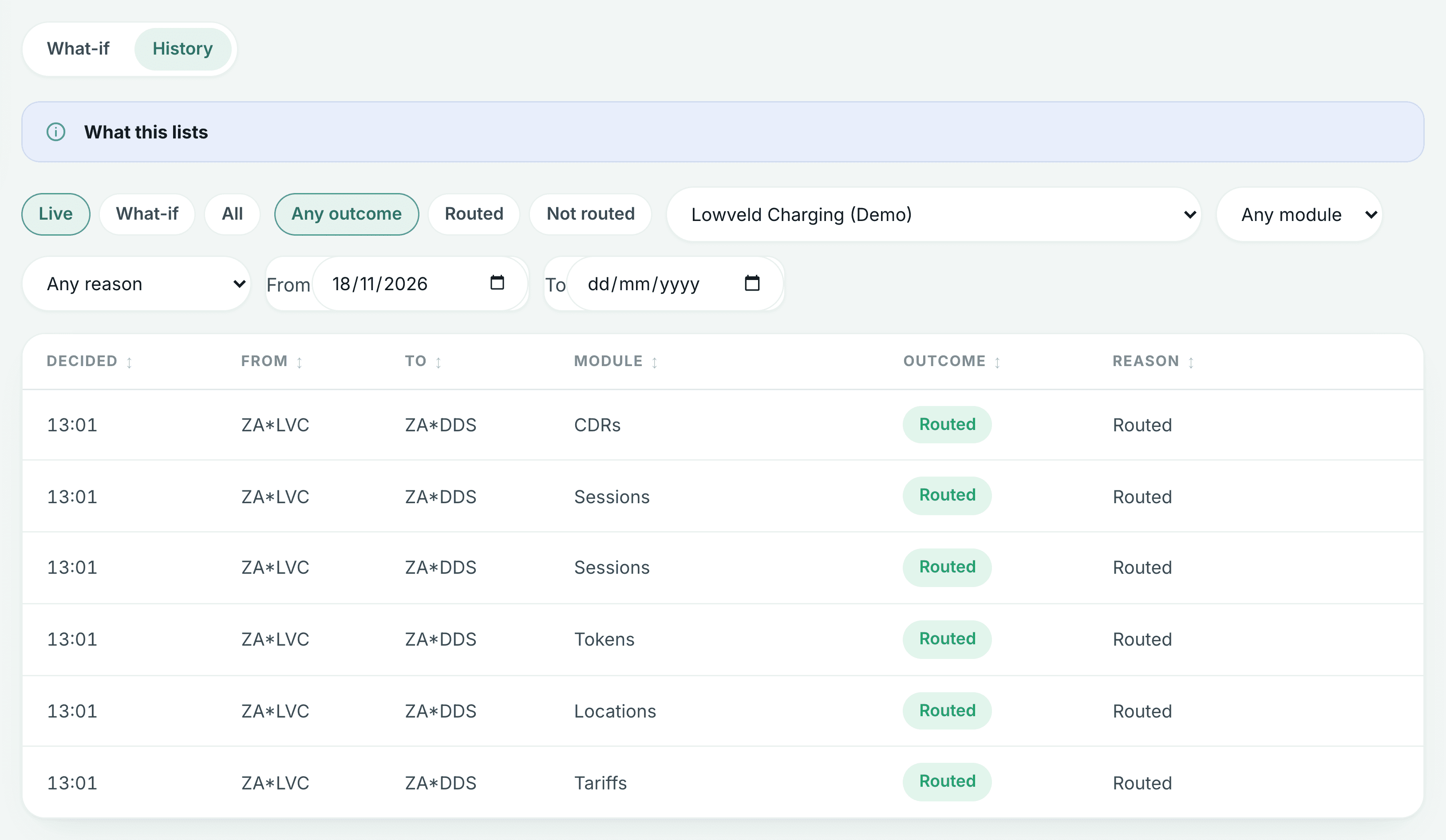
Every message, where it went and why
Routing decisions per partner: sender, receiver, OCPI module and outcome.
- What you see: routing decisions for one demo partner, by module and outcome
- Why it matters: any delivery can be traced back to the decision behind it
One decision, check by check
The fixed checks a message passed, in order, recorded for every decision.
- What you see: the checks a charge record passed, in the order they ran
- Why it matters: the same fixed checks for every partner, recorded for audit
Questions
Message routing: questions
Do Getz’s own apps get priority?
No. There is one delivery queue and one retry policy for every partner. Published service-level statistics per partner type are coming soon.
What happens when a delivery fails?
The delivery is retried with back-off and marked dead after repeated failures. The receiving partner sees the failed delivery and its reason in the partner portal and, once the cause is fixed, requeues it. If the cause is on Hub’s side, e-mail support@getzcharging.com with the correlation id. Partner portal.
How do we follow one message through Hub?
Every message keeps the same X-Correlation-ID end to end, with a new X-Request-ID per hop. Quote the correlation id and Hub staff can open the routing trace behind that delivery or command. Transport details.
A driver’s remote start failed in an app. What can support see?
The app’s team can pass the correlation id of the start command to the Hub team, who can see which check decided the routing and what the operator answered. Fixing the charger stays with the operator.
How is routing tested?
Every routing outcome is covered by end-to-end tests, and every decision is traced, so any delivery can be explained to the partner it affects.
See how your traffic would route
Talk to our integration engineers about your modules and partners.