OCPI integration
One OCPI connection for 2.1.1, 2.2.1 and 2.3.0
Hub implements the OCPI modules for versions 2.1.1, 2.2.1 and 2.3.0 and translates between them. Your back office keeps speaking the version it speaks today; Hub handles the differences for each partner it delivers to.
An active partner: onboarding complete, OCPI version negotiated, agreements in force. Synthetic demo data.
- OCPI 2.1.1 to 2.3.0 partners on one hub
The challenge
Why OCPI integrations stall
OCPI is a standard, but versions differ in ways that matter: routing headers, token encoding, tax models, new modules.
Version mismatch
An app on 2.3.0 cannot simply talk to an operator on 2.1.1. Someone has to translate, or someone has to upgrade.
Subtle differences
Base64 tokens from 2.2, hub routing headers, tax-inclusive tariffs in 2.3.0: each breaks a naïve integration.
Testing per partner
Each bilateral connection needs its own certification-style testing before go-live.
How it works
How translation works
Hub stores what you send in your own version, and delivers to each receiver in theirs.
Step 1: You send in your version
Hub serves the OCPI endpoints for 2.1.1, 2.2.1 and 2.3.0 and validates what you send against your version.
Step 2: Hub keeps the original
Objects are stored in OCPI 2.2.1 form alongside your original payload, which goes verbatim to partners on your version.
Step 3: Hub translates per receiver
For a receiver on another version Hub translates through 2.2.1. Anything derived, defaulted or dropped is recorded as a translation note.
Step 4: Deliveries are checked
The translated object is checked against the receiver’s version schema before it is sent.
Interactive illustration
The OCPI integration flow
Step through the credentials handshake between your back office and Hub.
The OCPI credentials handshake with Hub
How a new partner’s back office and Hub exchange credentials and agree on a version. Step through it.
You receive a registration token (Token A)
After you submit your details from your onboarding link, Hub issues a Token A bound to your partner record. It is shown once, works only for the registration calls (versions, version details and credentials), and expires with the link.
Illustration of the OCPI 2.2.1 / 2.3.0 credentials module as Hub implements it. In 2.1.1 the token is sent unencoded; in 2.2 and later it is Base64-encoded.
Capabilities
OCPI coverage
Core roaming modules
Locations (including EVSE and connector updates), Tariffs, Tokens with real-time authorisation, Sessions, CDRs and Commands.
Smart charging
Charging Profiles relayed between eMSPs and CPOs from OCPI 2.2.1.
Hub Client Info
Connection status of the parties you roam with, pushed when it changes.
PATCH relay
Partial updates are relayed as PATCH to receivers that can apply them, otherwise as a full PUT. An older update never overwrites a newer one.
Payments (2.3.0)
Card-terminal Terminals and Financial Advice Confirmations routed between CPOs and payment terminal providers.
Bookings (2.3.0)
Booking locations, calendars and bookings routed, including booking and no-show fees on charge records.
In the product
OCPI integration in Getz Hub
Captured from the running Hub with synthetic demonstration data: names, counts and amounts are not real partners or traffic.
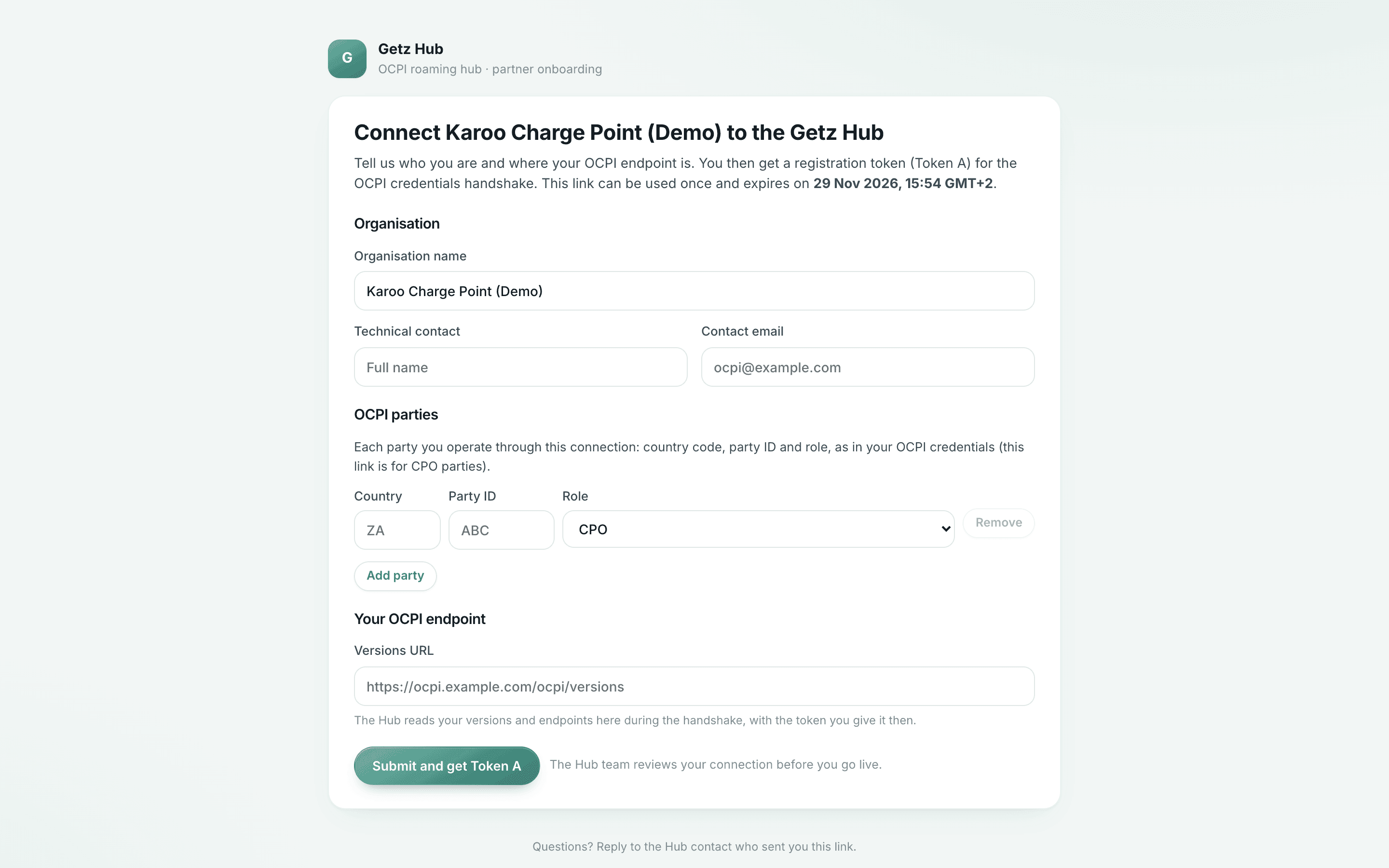
Join from a link
A new partner registers from a single-use link, no account needed.
- The link is single-use and expires
- Hub staff approve the partner before it goes live
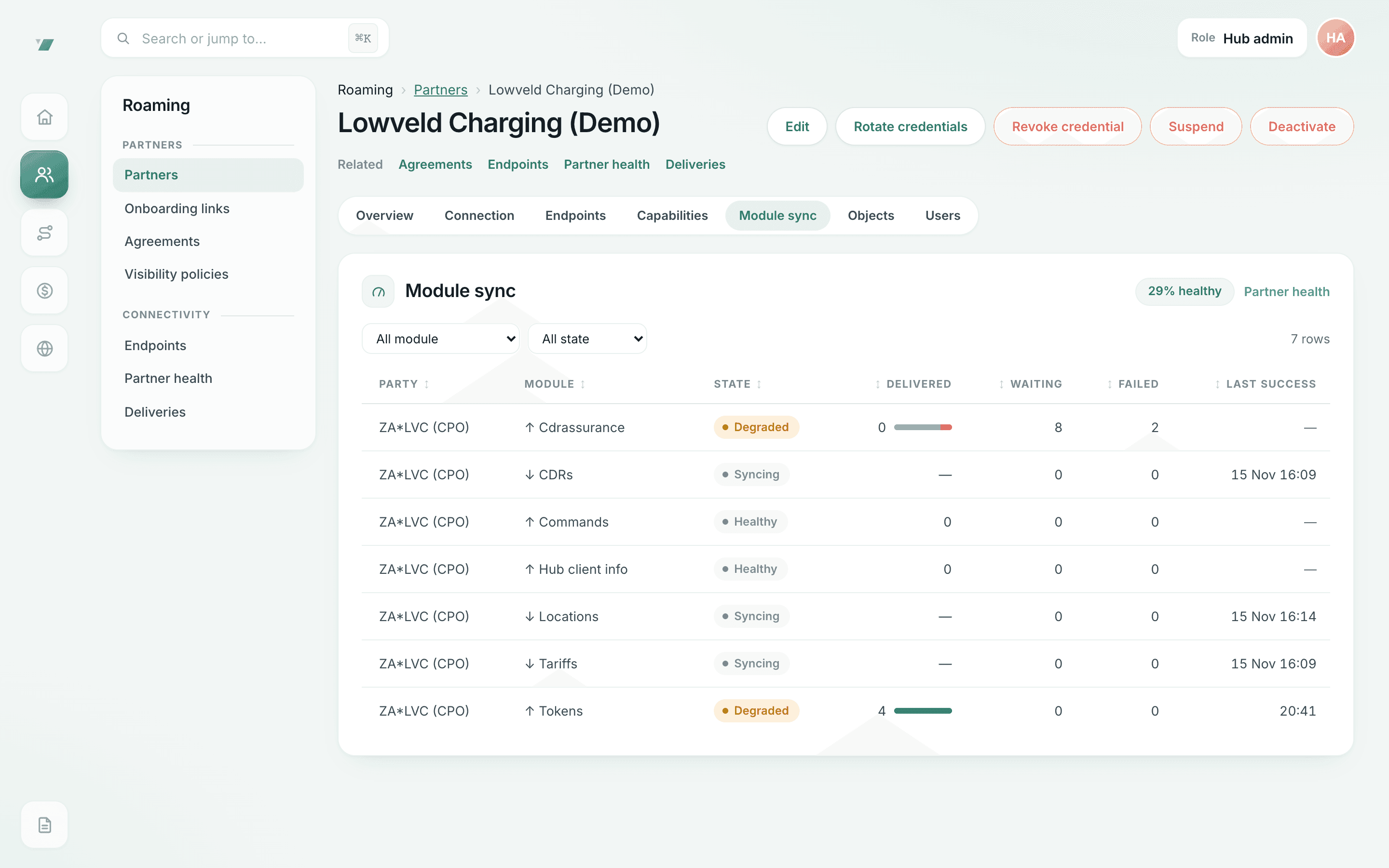
Delivery health per OCPI module
What was delivered, what is waiting and what failed, per module.
- Degraded modules are flagged with the reason; staff can requeue failed deliveries
- Inbound counts are compared only where the sender reports its own counts
Questions
OCPI integration: questions
Do we need to upgrade to OCPI 2.3.0 to connect?
No. Connect on 2.1.1, 2.2.1 or 2.3.0. Hub translates for partners on other versions. Some features exist only in newer versions, such as Payments and Bookings in 2.3.0.
Does Hub add proprietary extensions?
Hub uses standard OCPI. Where Getz offers something OCPI does not define, such as notices of charge-record assurance decisions or sender count reports, it is a declared OCPI custom module that partners may choose to use. Nothing requires them.
Which modules work in which version?
The module table on the technical integration page lists every module Hub serves in 2.1.1, 2.2.1 and 2.3.0. Anything Hub derives, defaults or drops when translating is recorded as a translation note on the delivery.
We are a car brand. Do we run the OCPI endpoint ourselves?
Not necessarily: whoever runs your owner app’s eMSP connection runs the endpoint, which can be your team or a charging-service provider. Automotive options.
We only need public charger data. Do we need OCPI?
No. The read-only charging data API serves public locations, availability and tariffs with a scoped key.
Is there developer documentation?
Hub follows the published OCPI specifications, so your existing OCPI implementation is the integration. The Getz custom modules are described in a written specification note that we share during technical onboarding. There is no SDK and no public developer portal.
Start a technical onboarding
Tell us your OCPI role, version and the modules you plan to use. Our engineers reply by e-mail.