Partner onboarding
Start onboarding from an invitation link
Hub staff send you a single-use, expiring onboarding link. You register your OCPI parties and versions URL, run the credentials handshake from your own back office and follow progress on the page until the connection and module tests pass and you are activated.
Self-service onboarding: a new partner registers from a link, no account needed. Synthetic demo data.
- The link is single-use and expires
- Hub staff approve the partner before it goes live
The challenge
Why onboarding usually drags
Most of the time goes on e-mail: exchanging URLs and tokens, chasing test results, and nobody knowing which step a partner is on.
Tokens by e-mail
Credentials sent around by hand are slow and a security risk.
No shared status
Neither side can see where onboarding stands or what blocks it.
Go-live before tests
Partners are switched on before their modules are known to work.
How it works
The onboarding link
Step 1: Receive a link
Single use, revocable and expiring after 24 hours to 30 days. It can be prefilled with your organisation and expected roles.
Step 2: Register
Organisation, technical contact, OCPI parties and your versions URL. No account needed. Hub accepts only public HTTPS partner URLs.
Step 3: Handshake
You receive a Token A, shown once, that opens only the registration calls: versions, version details and credentials. Your back office completes the Token A, B and C exchange.
Step 4: Tests and activation
Progress updates on the page. Staff activate you once connection and module tests pass.
Interactive illustration
The partner onboarding workflow
Nine steps, who does each one, and when activation becomes possible.
Partner onboarding, step by step
The nine steps every partner goes through, who does each one, and when activation becomes possible.
1. Create partner
Hub staff send you a single-use, expiring onboarding link, or create your partner record directly. The link can be prefilled with your organisation name and the roles you are expected to hold.
Illustration of the onboarding workflow built into Hub. Timelines depend on your back office and the tests; none are promised.
Capabilities
Designed to be safe and auditable
Nine resumable steps
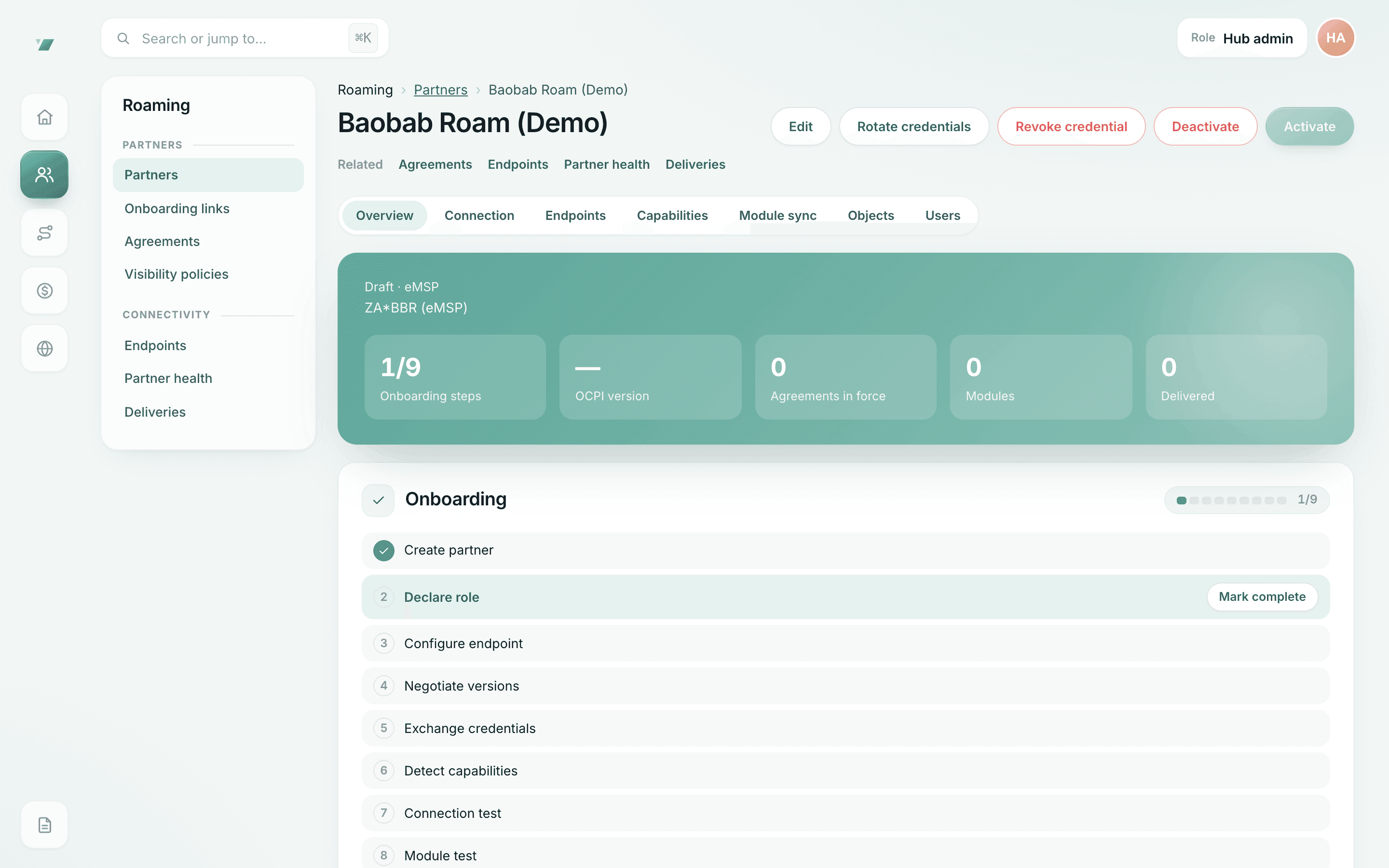
Create partner, declare role, configure endpoint, negotiate versions, exchange credentials, detect capabilities, connection test, module test, activate.
Hashed, single-use tokens
The link token and Token A are stored only as hashes and are shown once.
Rate-limited public page
The onboarding page limits requests per address and per link and answers every unusable link the same way.
Credential rotation
Rotate your token over OCPI; the old token keeps working for a short grace window.
Re-onboarding keeps history
A partner that leaves and returns keeps its record, parties and history.
Every step audited
Link created, opened, submitted, completed, expired or revoked: each is an audit event.
In the product
Partner onboarding in Getz Hub
Captured from the running Hub with synthetic demonstration data: names, counts and amounts are not real partners or traffic.
Onboarding, step by step
Credentials, version negotiation, connection and module tests, then activation.
- A partner is activated only after its connection and module tests pass
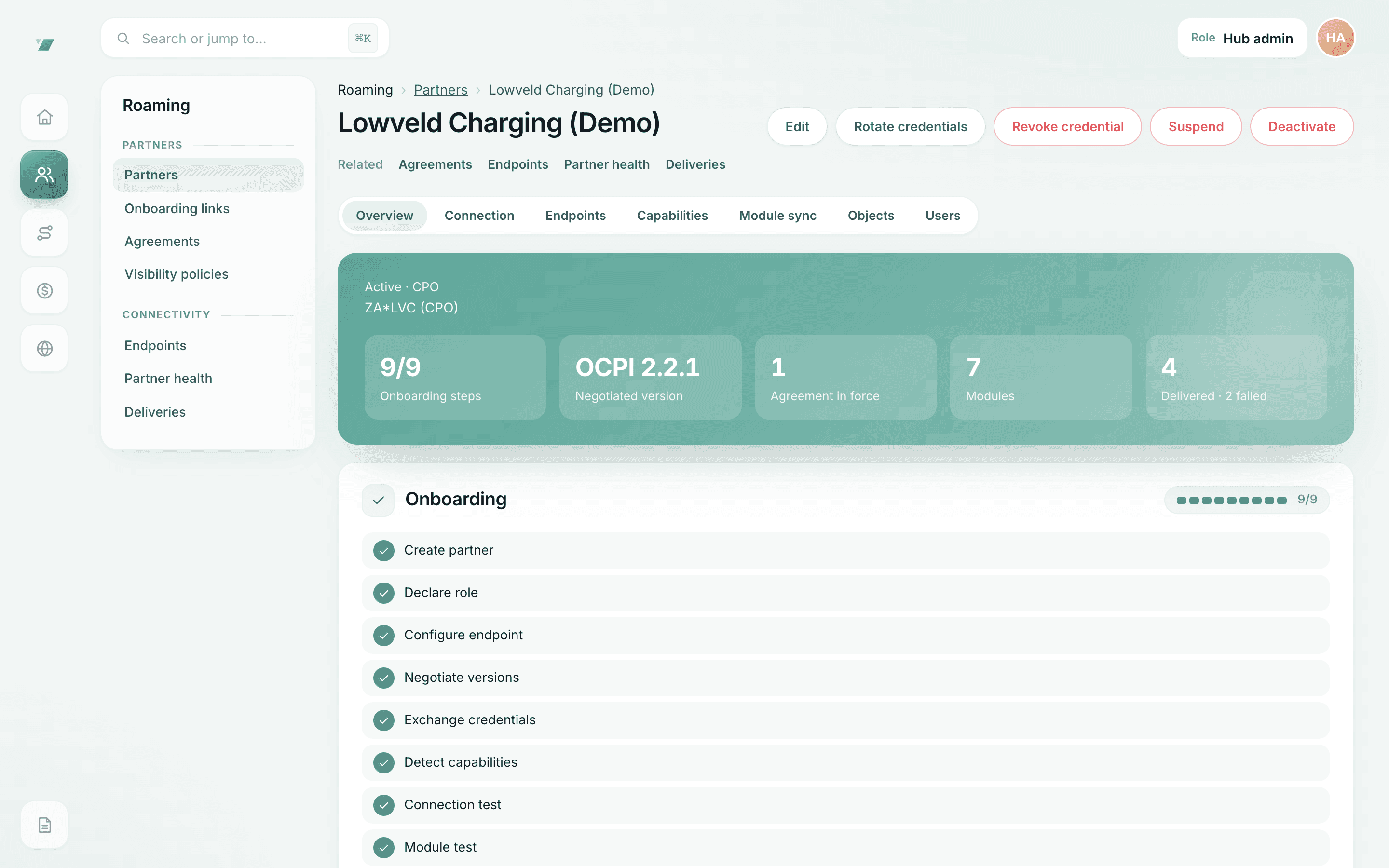
An active partner
Onboarding complete, OCPI version negotiated, agreements in force.
- OCPI 2.1.1 to 2.3.0 partners on one hub
Questions
Partner onboarding: questions
How long does onboarding take?
It depends mostly on your back office and the module tests. The steps themselves are self-service; we do not promise a fixed number of days before we have run onboarding with external partners.
Does Hub send the link by e-mail?
No. Hub staff share the link with you directly. It is shown to them once and stored only as a hash.
What should we have ready before we ask for an invitation?
Who owns your OCPI endpoint, a technical contact, a commercial contact and whoever will accept roaming agreements; your OCPI parties (country code, party ID and role); a public HTTPS versions URL; and the modules you plan to use. The technical integration page has the full list.
What if our link expires?
Ask the Hub team member who sent it. Staff can create a new link and revoke the old one; a used, expired or revoked link cannot be reopened.
We are a car brand. Who opens the invitation?
Whoever runs your owner app’s OCPI connection: your own team or a charging-service provider working for you. Automotive options.
We only want data access. Do we onboard like this?
No. Data customers receive a scoped key or a feed instead. Explore API access.
Ready to connect?
Request technical onboarding and we will prepare your onboarding link.