Partner portal
See your own roaming traffic, and fix problems yourself
Every partner gets a portal scoped to its own parties: the objects Hub holds for it, what was delivered and what failed, connection health per module, roaming agreements, commands, charge-record assurance results and its audit trail.
The partner portal: each partner sees its own data, and only its own. Synthetic demo data.
- Partner isolation: a partner never sees another partner’s data
The challenge
Support tickets for things you could see yourself
Without visibility into the hub, every failed delivery becomes an e-mail thread.
Black-box hubs
Partners cannot see what the hub did with their messages.
Slow fixes
Retrying after a fix needs someone at the hub to act.
Shared screens
Partners worry that a shared portal shows them, or others, too much.
How it works
What you can do in the portal
Step 1: Check connection health
Your registered versions, module endpoints, delivery state per party and module, and sync results.
Step 2: Inspect deliveries
What Hub delivered to and from you, and why a delivery failed.
Step 3: Retry yourself
Resend failed deliveries once the cause is fixed, without asking Hub support.
Step 4: Manage agreements
Propose, counter and accept roaming agreements with other partners.
Capabilities
Isolated by design
Your parties only
Queries are scoped to your parties at the database level. You never see another partner’s data.
Your team’s access
Partner admins invite their own colleagues with portal roles.
Commands and issue reports
See the commands routed for your parties and drivers’ issue reports relayed to you.
Assurance results
Held, released and rejected charge records that concern you.
In the product
Partner portal in Getz Hub
Captured from the running Hub with synthetic demonstration data: names, counts and amounts are not real partners or traffic.
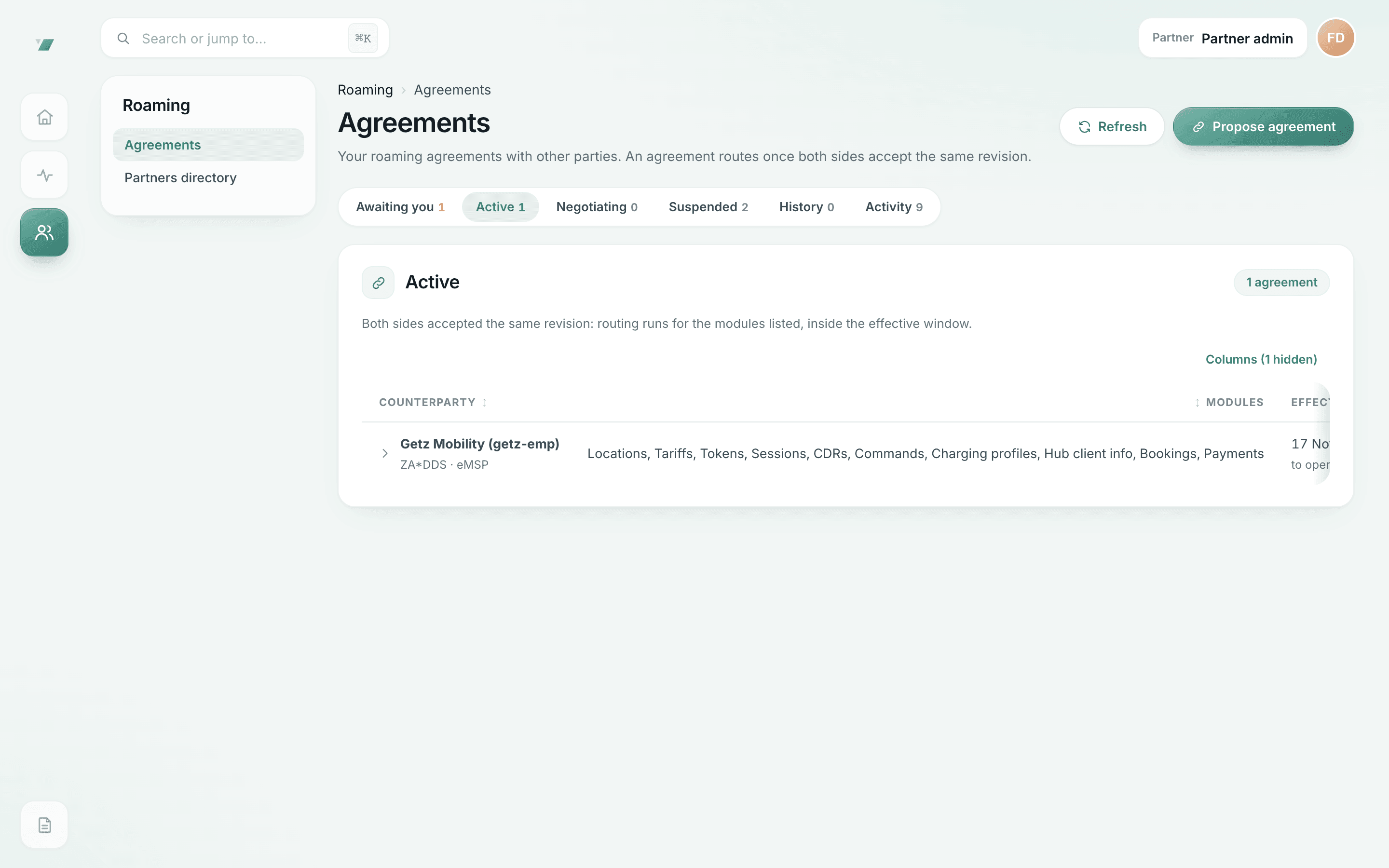
Roaming agreements
Which partners roam together, for which OCPI modules, from when.
- An agreement routes only once both sides accept the same revision
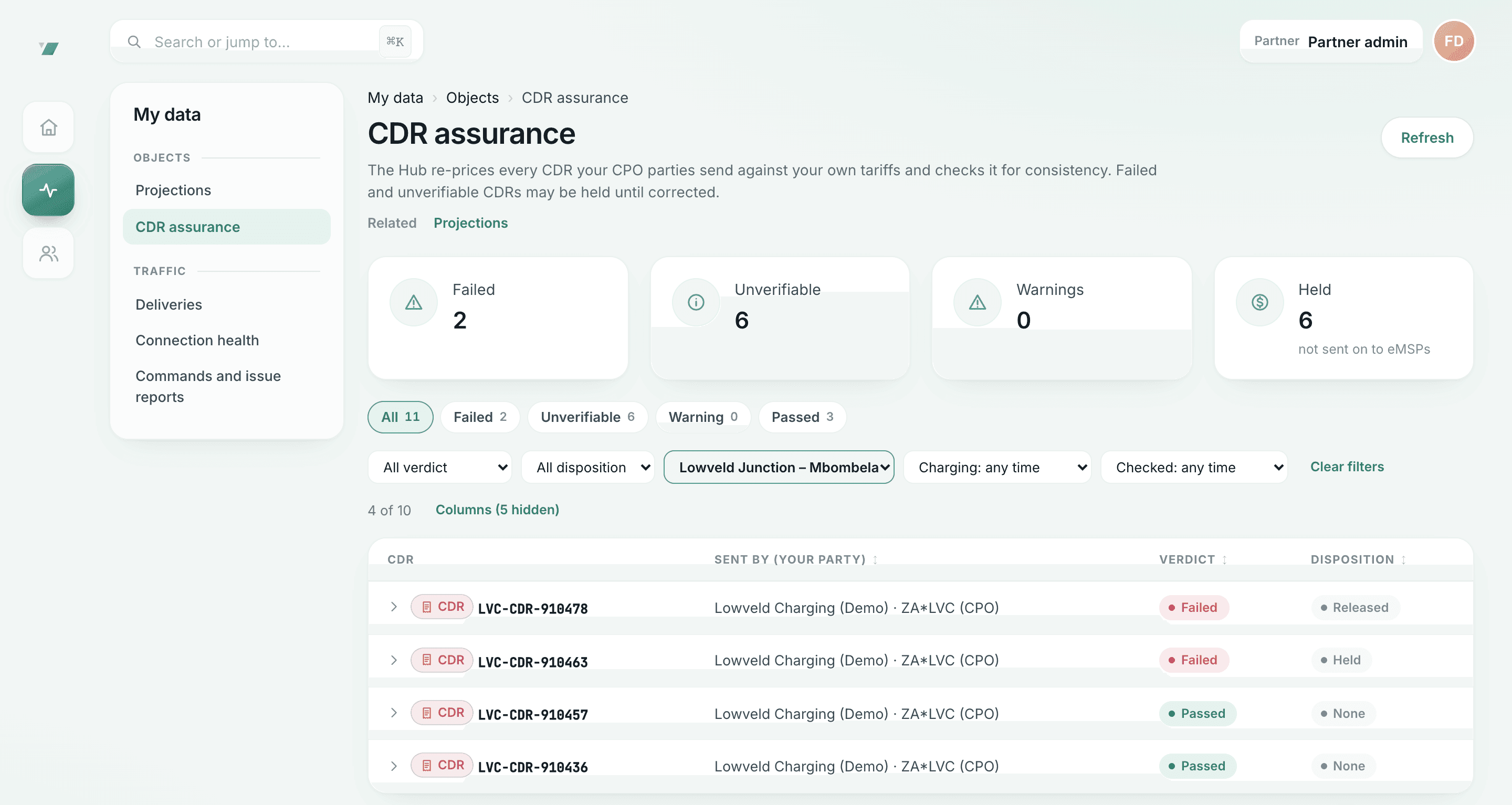
Charge records checked against tariffs
Failed and unverifiable records are held until released or rejected.
- Overcharged records are held from the eMSP
- Hub staff release a held record with a reason; every decision is audited
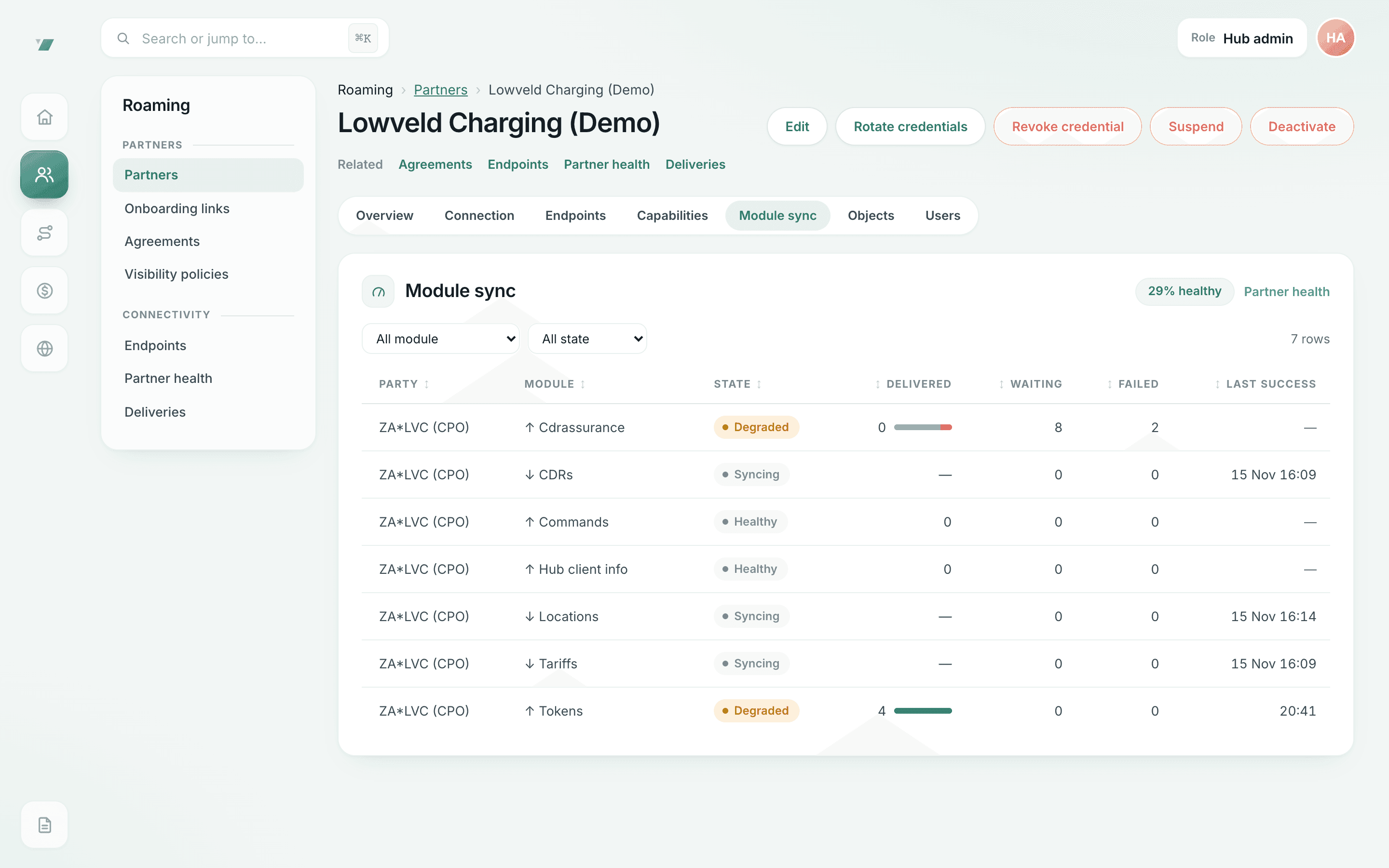
Delivery health per OCPI module
What was delivered, what is waiting and what failed, per module.
- Degraded modules are flagged with the reason; staff can requeue failed deliveries
- Inbound counts are compared only where the sender reports its own counts
Questions
Partner portal: questions
Is the portal included?
Yes. The portal is part of being a Hub partner and is not intended to be a separate paid product.
What can we fix ourselves, and what goes to the Hub team?
In the portal you can check connection health, inspect failed deliveries and retry them once the cause is fixed, manage roaming agreements and invite your colleagues. Problems on Hub’s side, held charge records and credential issues go to the Hub team: quote the correlation id of the message concerned.
Who on our team can act?
Partner admins invite colleagues and give them portal roles. Releasing or rejecting a held charge record is a finance decision recorded in the audit trail.
Do data customers use the portal?
Data keys are issued by Hub staff with their scopes and rate limit, and usage is metered per key. Charging data API.
Can we rotate our OCPI token in the portal?
No, deliberately. Credential rotation stays on OCPI itself, so it happens between your back office and Hub without a person in the middle.
Become a network partner
Your portal access starts with your onboarding.